Skip to content
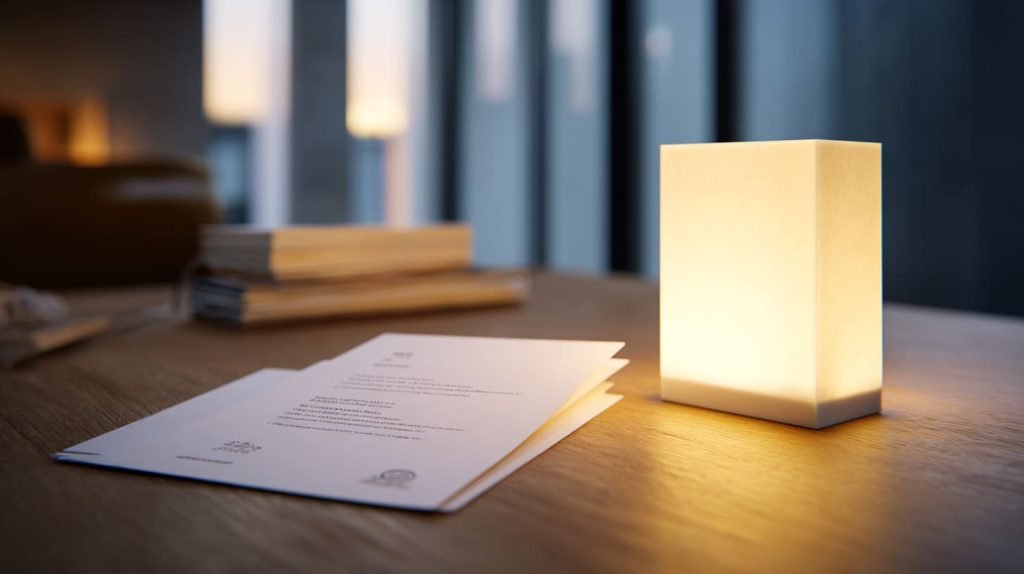
P99 acrylic can look very attractive on a quotation sheet.
The name feels clean.
The surface looks premium.
The matte finish feels technical.
And the number “99” quietly whispers something dangerous into the buyer’s ear:
“Maybe this is the better one.”
I understand this feeling very well.
In custom acrylic projects, many buyers do not have time to study every material detail. They may be building a LED light box for a retail display, a backlit sign, a cosmetic counter, a menu board, or a branded display panel. They just want the final light to look smooth. No bright dots. No ugly lines. No cheap-looking shadows.
So when they see P99 acrylic, they may think:
“P99 sounds more advanced than normal acrylic. It has an anti-glare surface. It should make the light softer, right?”
That sounds reasonable.
But this is exactly where many LED light box projects go in the wrong direction.
P99 acrylic is not designed as a main LED diffuser. It can reduce glare on the surface. It can make reflected light less harsh. It can help in picture framing and viewing panels. But it does not automatically hide LED hotspots inside a light box.
This difference sounds small.
In real production, it is not small at all.
A wrong acrylic sheet can turn a clean design into a cloudy, dim, uneven display. It can blur printed graphics. It can reduce brightness. It can make the whole product feel lower quality, even when the acrylic itself is not cheap.
The mistake is not always the buyer’s fault.
Sometimes the material name is confusing. Sometimes supplier descriptions are too simple. Sometimes “matte,” “anti-glare,” “diffuser,” and “soft light” are mixed together like they mean the same thing.
They do not.
The way I judge this kind of project is simple: before I recommend any acrylic sheet, I first ask what problem the buyer is trying to solve—surface reflection, LED hotspots, image clarity, or light uniformity—because one material rarely solves all four problems at the same time.
That is why I want to talk about P99 acrylic in a more honest way.
Not because P99 is a bad material.
It is not.
But for many LED light boxes, it is the wrong choice.
And in custom manufacturing, the wrong “premium” choice can be more painful than choosing a basic material from the start.
Let’s open the box and look inside.
What Is P99 Acrylic and What Is It Designed For?
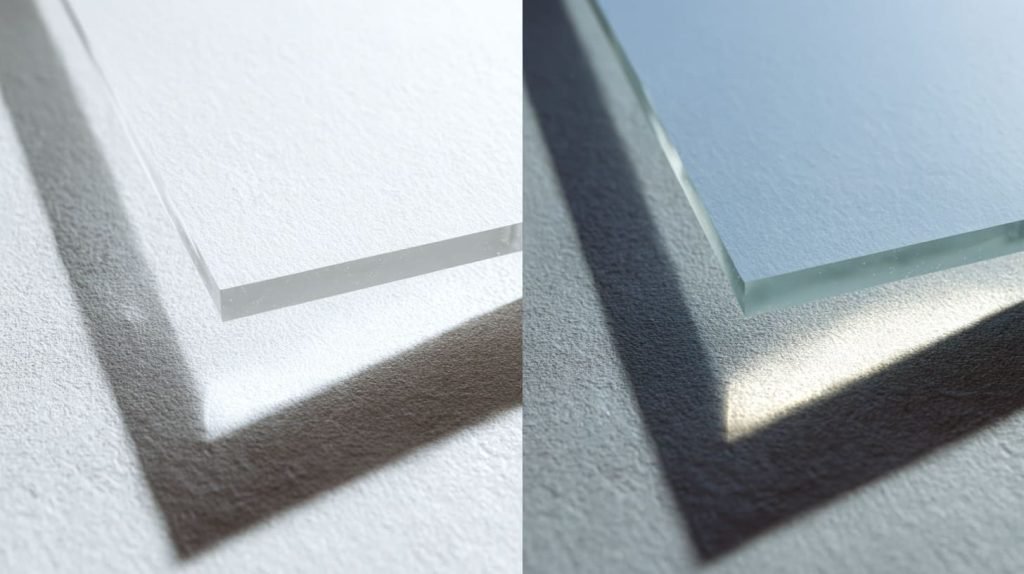
P99 acrylic is often described as an anti-glare acrylic sheet. It usually has a matte or textured surface that scatters light on the surface. When strong light hits it, the reflection becomes softer and less mirror-like.
That sounds useful.
And it is useful.
But we need to be careful about where it is useful.
P99 acrylic is not a magic sheet that makes every lighting problem disappear. It was mainly created for viewing comfort, not for deep LED diffusion inside a light box.
What “P99” really means
When I explain P99 to a buyer, I usually avoid making it sound too mysterious.
P99 is mainly about the surface.
The acrylic surface is treated or textured so that reflected light does not bounce back like a clean mirror. Instead, the light spreads across the surface. That is why the viewer sees less sharp reflection.
For example, if a ceiling lamp reflects on clear acrylic, you may see a bright lamp shape. On P99 acrylic, that reflection becomes softer and wider. It may feel easier on the eyes.
But there is a trade-off.
The same surface that reduces reflection can also soften the image behind it.
This is the part many buyers miss.
| Feature | What Buyers Expect | What P99 Actually Does |
|---|---|---|
| Matte surface | Makes LED light smooth | Mainly reduces surface reflection |
| Anti-glare effect | Removes hotspots | Softens reflected glare |
| Premium appearance | Better display quality | Better viewing comfort in some cases |
| Surface scattering | Strong LED diffusion | Limited surface-level diffusion |
A buyer once asked me why his printed logo looked less sharp behind a matte acrylic cover. He had chosen a more expensive anti-glare sheet because he wanted a “higher-end” look. But the logo lost some crispness.
The acrylic was doing its job.
It was just doing the wrong job for his real need.
Original application scenarios
P99 acrylic is more suitable for applications where people look through the acrylic under room light.
Common uses include:
- Picture framing
- Museum display covers
- Retail viewing panels
- Anti-reflection display covers
- Protective covers for printed artwork
- Sign covers where reflection matters more than brightness
In these cases, the goal is not always maximum brightness. The goal is often better viewing comfort.
A person stands in front of a picture frame. A ceiling light reflects on the cover. Clear acrylic may create strong glare. P99 can help reduce that harsh reflection.
That makes sense.
But a LED light box is a different animal.
A LED light box has light coming from behind or from the edge. The panel is not just a viewing cover. It becomes part of the lighting system.
This difference matters.
Key optical behavior
The most important thing about P99 is this:
It reduces reflections, but it also softens clarity.
It spreads light at the surface. But it does not control the internal light pattern in the same way as a proper diffuser sheet.
Here is a simple way to think about it:
| Problem | Is P99 Usually Helpful? | Why |
|---|---|---|
| Surface glare from room light | Yes | Matte surface spreads reflected light |
| Sharp reflection of lamps | Yes | Reflection becomes softer |
| LED hotspots behind panel | Usually weak | Surface texture cannot fully solve internal uneven light |
| Clear image viewing | Not ideal | Matte surface can reduce sharpness |
| High brightness transmission | Not ideal | Scattering can reduce forward brightness |
This is where a real project often goes wrong: a buyer may try to use P99 to solve a lighting structure problem, but P99 is mainly solving a surface reflection problem.
That difference can decide whether the sample passes or fails.
And once the buyer sees bright dots behind the panel, the material conversation becomes much more serious.
Why Buyers Think P99 Is a Good Fit for LED Light Boxes
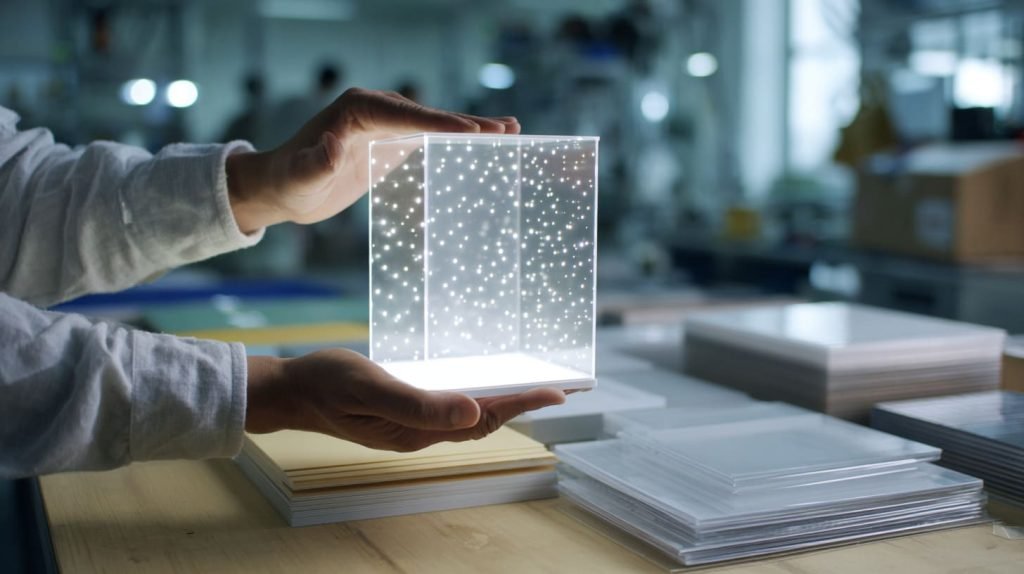
I never blame buyers for thinking P99 might work in LED light boxes.
Honestly, the idea is very easy to understand.
If clear acrylic shows harsh light, and matte acrylic makes things softer, then matte acrylic should make LED light smoother.
Right?
That is the simple logic.
But simple logic can be a trap when light is involved.
The logic behind the decision
Many LED light box projects start with one visible problem:
The LED dots are too obvious.
The buyer looks at the first sample and sees small bright points across the face. Sometimes they appear like tiny moons behind a cloudy window. Sometimes they form straight lines along the edge. Sometimes the middle area looks darker than the sides.
Then someone says:
“Can we use a more matte acrylic?”
That suggestion sounds practical.
P99 has a matte surface. It reduces glare. It feels more professional than clear acrylic. So the buyer connects these ideas:
- Matte surface means softer look.
- Softer look means better diffusion.
- Better diffusion means fewer hotspots.
- Fewer hotspots mean better LED light box quality.
The problem is not the thinking.
The problem is the missing step.
LED hotspots are not only a surface problem. They are often caused by LED spacing, box depth, light direction, and inner reflection design.
If those parts are wrong, P99 cannot save the project alone.
Influence from supplier descriptions
Another reason buyers choose P99 is the way materials are described.
Some supplier pages use words like:
- Diffused
- Soft light
- Premium matte
- Anti-glare
- Low reflection
- Optical grade
- Display quality
These words are not always wrong.
But they are not always specific enough.
For a buyer, “diffused” can sound like “good for LED diffusion.” But a material can diffuse surface reflection and still perform poorly as a backlit LED diffuser.
That is a big difference.
| Marketing Word | Buyer May Understand It As | Real Question to Ask |
|---|---|---|
| Anti-glare | No hotspots | Does it diffuse LED chips behind the panel? |
| Matte | Smooth light | Is the diffusion surface-level or inside the sheet? |
| Premium | Better for all displays | Better for which display type? |
| Soft light | Even brightness | Was it tested with LED spacing and box depth? |
| Optical | Better performance | Which optical problem does it solve? |
In my work, I do not like to sell a buyer a nice word. I prefer to match the material to the real structure, because a beautiful material name does not help when the final panel looks uneven under power.
That sentence may sound a little direct.
But in factory work, direct thinking saves money.
Confusion with diffuser acrylic
P99 is often confused with diffuser acrylic, such as OP3 acrylic or other dedicated light-diffusing sheets.
This confusion is common because both materials can look “not fully clear.”
But their purpose is different.
P99 is mainly about the surface.
OP3 or dedicated diffuser acrylic is usually about light diffusion through the sheet.
That means the light behavior is different.
| Material Type | Main Function | Common Use |
|---|---|---|
| P99 acrylic | Reduce surface glare | Picture frames, viewing covers |
| OP3 acrylic | Diffuse transmitted light | LED light boxes, backlit signs |
| Clear acrylic | Keep maximum clarity and brightness | Covers, transparent displays |
I like to explain it with a simple example.
Imagine you are cooking soup.
P99 is like putting a soft lid over the pot. It changes what you see on the outside.
A true diffuser is like stirring the soup inside. It changes how the contents mix.
For LED light boxes, the inside matters a lot.
If the LED chips are too close to the front panel, or if the light box is too shallow, the light does not have enough space to mix. The surface texture may soften the dots slightly, but the uneven pattern can still show.
That is why a buyer may pay more for P99 and still feel disappointed.
And disappointment is expensive after the sample is already made.
The Real Problem: Surface Diffusion vs. Light Diffusion
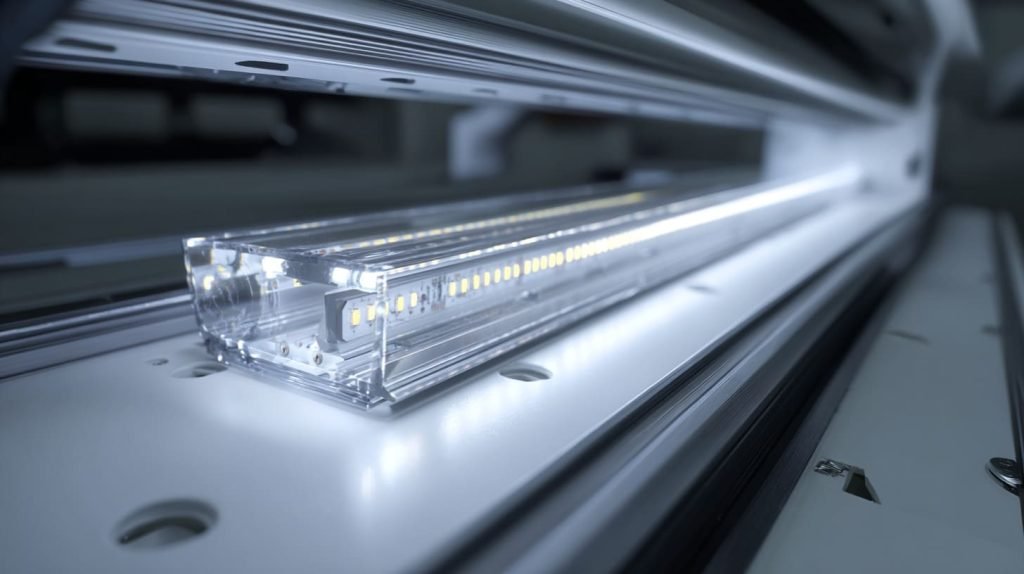
The biggest misunderstanding about P99 acrylic is the difference between surface diffusion and light diffusion.
These two sound similar.
They are not the same in a LED light box.
Surface diffusion changes how light behaves at the surface. Light diffusion for LED boxes needs to spread and mix the light before it reaches the viewer.
That is why one sheet can look matte but still fail to hide hotspots.
How LED light actually behaves in a light box
A LED light box does not create light like a calm cloudy sky.
It starts from many small light sources.
Each LED chip is a point source. Each chip sends light in a certain direction. If the panel is close to the LEDs, the viewer can still see the pattern of those points.
That is the birth of hotspots.
The main factors include:
- LED chip distance
- LED strip spacing
- Distance from LED to acrylic panel
- Light box depth
- Inner wall reflection
- Light direction
- Acrylic thickness
- Diffusion level of the front panel
The acrylic sheet is only one part of the system.
It is important.
But it is not the whole system.
| Design Factor | What Happens If It Is Wrong |
|---|---|
| LED spacing too wide | Bright and dark zones appear |
| Box depth too shallow | LED points remain visible |
| Weak inner reflection | Light does not spread well |
| Wrong acrylic sheet | Panel looks cloudy, dim, or uneven |
| LED power too strong | Hotspots become more obvious |
The small detail I often check before material selection is the distance between the LEDs and the visible acrylic face, because a shallow box can make even a good diffuser look bad, while a deeper box gives light more space to mix.
Many buyers focus on the acrylic first.
I understand why.
The acrylic is visible. The acrylic is easy to change on paper. The acrylic has a material name.
But the light pattern is created inside the box.
Why surface texture is not enough
P99 acrylic diffuses light at the surface.
This means it can spread the light slightly as it exits or reflects. But if the light behind the panel is already very uneven, the surface texture may not be strong enough to hide that unevenness.
Think about a dirty wall behind a thin curtain.
If the curtain is slightly cloudy, it may soften the view. But if the marks on the wall are dark and strong, you can still see them.
LED hotspots work in a similar way.
If the LED dots are strong, P99 may only make them look like blurry dots.
That is not the same as removing them.
Result: visible hotspots still appear
This is the result I have seen many times:
The buyer switches from clear acrylic to P99 acrylic.
The surface looks more matte. The reflection is reduced. The panel feels more “premium” in the hand.
Then the light turns on.
The hotspots are still there.
Maybe they are softer. Maybe the edges are less sharp. But the pattern remains.
That is when the buyer starts asking harder questions:
- Should we use thicker acrylic?
- Should we add more LEDs?
- Should we change the LED spacing?
- Should we make the box deeper?
- Should we use OP3 instead?
- Should we test another diffuser film?
These are good questions.
But they should come before mass production, not after it.
Here is the simple comparison I use when discussing this issue:
| Problem Type | P99 Surface Texture | Proper LED Diffuser |
|---|---|---|
| Reduces room light glare | Strong | Medium |
| Softens surface reflection | Strong | Medium |
| Hides LED chip dots | Weak to medium | Strong |
| Keeps brightness efficient | Medium-low | Medium-high |
| Protects printed image clarity | Weak | Medium |
A LED light box needs controlled light mixing.
P99 can help with glare.
But it is usually not enough to fix a poor lighting structure.
And this is where the project moves from “material choice” into “design correction.”
Visual Impact: How P99 Can Make LED Displays Look Worse
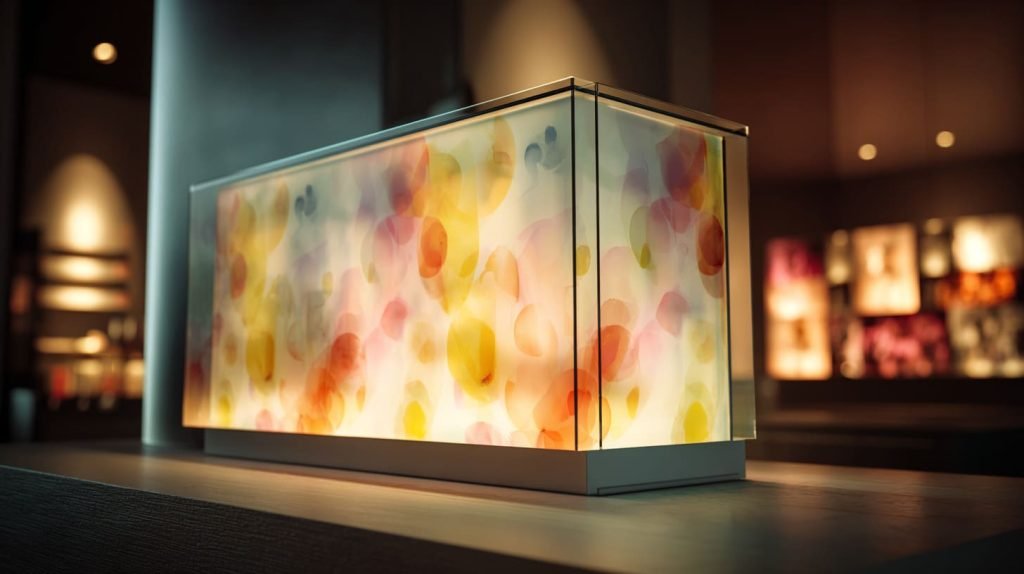
Acrylic is not only a sheet.
In a LED light box, acrylic becomes part of the visual result. It affects brightness, clarity, texture, color feeling, and the first impression of the product.
That is why P99 can create a strange problem.
The buyer pays more because he wants the display to look better.
But the display may look worse.
Loss of image sharpness
If the LED light box has printed graphics, text, logo, menu content, or product images, P99 can reduce sharpness.
The matte surface spreads light. That helps reduce reflection. But it also makes the image behind the surface less crisp.
Small text may look softer.
Fine lines may lose their edge.
Logo details may feel less clean.
For a simple glowing background, this may not matter much. But for a branded display, it matters a lot.
| Display Content | Risk With P99 |
|---|---|
| Large simple logo | Usually acceptable if distance is right |
| Small text | May look blurred |
| Fine artwork | Detail loss may be obvious |
| Product photo | Contrast may drop |
| Menu board | Reading comfort may suffer |
I once saw a buyer focus only on hiding LED dots. After we tested a matte sheet, the hotspots looked slightly softer, but the printed brand name lost its sharp edge. The buyer paused for a few seconds and said, “It looks less expensive now.”
That sentence stayed with me.
Sometimes the technical problem is solved halfway, but the commercial feeling becomes worse.
“Dirty” or cloudy appearance
P99 can also create a cloudy or grainy look under strong backlighting.
This does not always happen in the same way. It depends on thickness, surface texture, LED brightness, viewing distance, and the graphic behind the panel.
But when it happens, the display face can look a little dirty.
Not dirty like dust.
Dirty like the light is trapped in a fog.
For retail displays, this can be a serious problem. The buyer may want a clean premium glow, but the panel shows a flat cloudy surface instead.
This is especially risky when:
- The light box is very bright
- The viewing distance is short
- The printed graphics need high contrast
- The background is white or light-colored
- The panel is large and smooth
- The store lighting is already strong
Acrylic materials can look very different under real lighting compared with a small sample on a desk.
That is why I never judge a light box sheet only by holding a small piece under office light.
I want to see it with LEDs behind it.
Reduced brightness efficiency
P99 can reduce forward light transmission because the surface scatters light.
This is not always bad. Sometimes softer brightness is desired.
But if the buyer needs a bright, clean, energy-efficient LED light box, reduced brightness becomes a real cost.
The project may need:
- More LED strips
- Higher LED power
- More heat control
- Bigger power supply
- Deeper structure
- More testing time
That means the material choice can affect the full cost of the product.
| Impact | Possible Result |
|---|---|
| Lower forward brightness | Display looks weaker |
| More light scatter | Less clean visual face |
| More LEDs added | Higher cost and more heat |
| Higher power used | Larger power supply needed |
| More redesign | Longer sample approval time |
The part I worry about is not only whether P99 can “work.” I worry whether it forces the buyer to fix one problem by creating three smaller problems around it.
This is the hidden danger of using the wrong premium material.
The material may be good.
The system becomes bad.
And the customer only sees the final display, not the reason behind the failure.
Technical Comparison: P99 vs. OP3 vs. Clear Acrylic
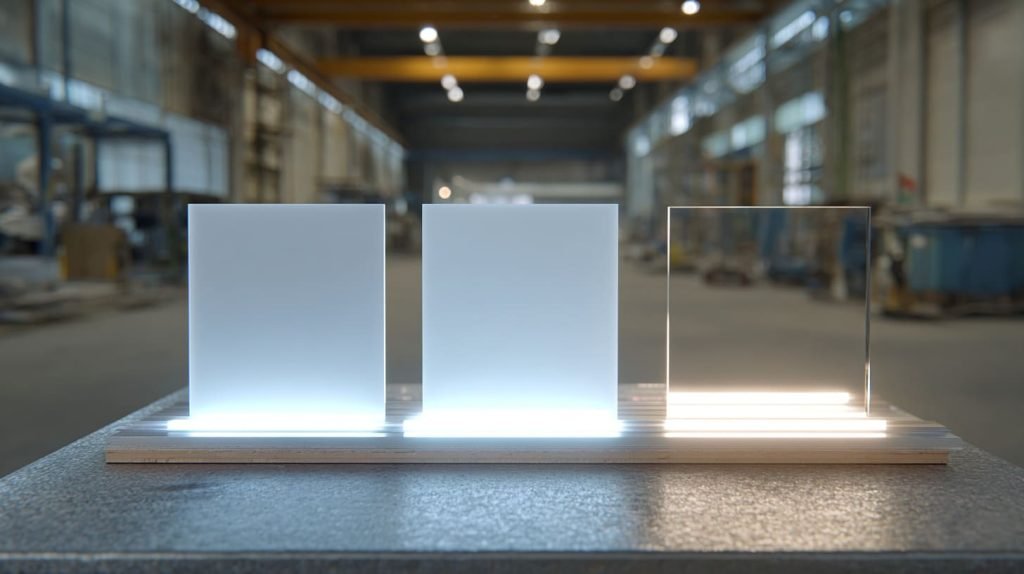
When buyers ask me which acrylic is better, I often say:
“Better for what?”
This question sounds simple, but it changes the whole conversation.
P99, OP3, and clear acrylic are not three levels of the same material. They are three different tools.
A hammer is not better than a screwdriver.
A screwdriver is not better than a ruler.
Each one has its own job.
The same idea applies here.
Key performance differences
Here is a simple comparison.
| Property | P99 Acrylic | OP3 Acrylic | Clear Acrylic |
|---|---|---|---|
| Surface Finish | Matte | Smooth | Glossy |
| Diffusion Type | Surface diffusion | Volume diffusion | None |
| LED Hotspot Control | Weak | Strong | None |
| Image Clarity | Low | Medium | High |
| Light Transmission | Medium-Low | Medium-High | High |
| Surface Glare Control | Strong | Medium | Weak |
| Best Use | Anti-glare viewing | LED diffusion | Clear protection |
| Common Risk | Blurry or cloudy look | Some brightness loss | Hotspots and reflection |
This table is not meant to say one material is always better.
It is meant to show that each material has a different purpose.
If the customer wants a clear protective cover, clear acrylic may be the right choice.
If the customer wants less room light reflection, P99 may be useful.
If the customer wants even LED light, OP3 or a dedicated diffuser sheet is usually a better starting point.
When each material actually works
Let’s make it more practical.
P99 acrylic
P99 works when glare is the main problem.
It can be useful for:
- Picture frames
- Display covers under strong room lighting
- Museum-style viewing panels
- Protective covers where reflection must be reduced
- Non-backlit signs that need softer reflection
But it is risky for:
- LED light boxes with close LED spacing issues
- Backlit panels with small text
- Displays that need high image clarity
- Bright white light boxes where cloudy texture is obvious
OP3 acrylic
OP3 works better when LED diffusion is the main problem.
It can be useful for:
- Backlit signs
- LED light boxes
- Menu boards
- Retail glowing displays
- Acrylic panels that must hide LED dots
But it still needs correct design.
OP3 is not magic either.
If the LED box is too shallow, even OP3 may show uneven light. If the LEDs are too far apart, dark zones can appear. If the inner reflection is poor, the center may look weak.
Clear acrylic
Clear acrylic works when clarity is the main goal.
It can be useful for:
- Transparent covers
- Product display cases
- Protective panels
- Acrylic boxes
- Clean glossy display surfaces
But it is usually a poor choice for LED diffusion because it shows light directly.
| Real Project Goal | Better Starting Material |
|---|---|
| Hide LED hotspots | OP3 or diffuser acrylic |
| Reduce room light reflection | P99 acrylic |
| Show clear printed graphics | Clear acrylic or selected diffuser |
| Build a bright light box | OP3 with proper LED design |
| Protect artwork from glare | P99 acrylic |
| Keep maximum transparency | Clear acrylic |
My decision is usually not based on which acrylic sounds more expensive; I look at what the buyer cannot accept in the final product, because “not acceptable” is where the real specification lives.
This is very important.
Some buyers can accept lower brightness.
Some buyers cannot accept any visible LED dots.
Some buyers care most about image sharpness.
Some buyers only care about glare from store lights.
The right acrylic is not chosen by name.
It is chosen by pain point.
And if the pain point is wrong, the sheet will also be wrong.
When P99 Acrylic Might Still Be Acceptable
I do not want to make P99 sound useless.
That would not be fair.
P99 has its place. It can be a very good material when the project needs anti-glare viewing. The problem starts when buyers use it as a main diffuser for LED light boxes without testing.
So the real question is not:
“Is P99 good or bad?”
The better question is:
“When does P99 make sense?”
Non-backlit applications
P99 is often acceptable in non-backlit applications.
For example:
- Photo frames
- Artwork covers
- Museum display covers
- Retail information covers
- Product display protection panels
- Acrylic sign covers under room light
In these cases, the acrylic does not need to spread light from LEDs behind it. It only needs to reduce glare from the environment.
This is where P99 can perform well.
The viewer stands in front of the display. The lighting comes from outside. The matte surface reduces harsh reflection. The viewing experience becomes more comfortable.
But even here, there is a trade-off.
Too much matte texture can reduce image clarity.
So the buyer still needs to decide what matters more:
- Less reflection
- Sharper image
- Lower cost
- Better viewing comfort
- More premium surface feel
| Application | P99 Suitability | Main Risk |
|---|---|---|
| Picture frame | Good | Image may soften |
| Museum cover | Good | Detail clarity must be checked |
| Retail display cover | Good | Surface may look cloudy |
| LED light box face | Risky | Hotspots may remain |
| High-detail graphic panel | Risky | Text and detail may blur |
The detail I watch in non-backlit work is the viewing distance, because a matte surface that looks fine from two meters away may make small text feel weak when the customer stands close.
That is a small detail.
But small details often decide whether the buyer feels the product is “premium” or “almost right.”
Low-brightness edge-lit designs
P99 might work in some low-brightness edge-lit designs.
For example, if the LEDs are not too strong, the panel is not used for sharp graphics, and the viewing distance is not too close, P99 may be acceptable.
But I would still test it.
Edge-lit systems can behave differently from backlit systems. Light travels through the panel from the side. The structure may include engraving, patterns, diffuser films, or reflection layers.
In some cases, the matte surface may help soften the final face.
In other cases, it may make the panel look dull.
There is no safe answer without testing.
When glare reduction matters more than clarity
Some projects value comfort more than sharpness.
For example, a display may sit under very strong ceiling lights. The buyer may not need high-detail graphics. He may only want a soft glowing surface with less reflection.
In that case, P99 may be considered.
But I would still explain the compromise clearly:
- The light may not be as bright.
- The image may not be as sharp.
- The surface may look cloudy.
- The hotspots may not fully disappear.
- The final result must be tested under real lighting.
This is where honest communication matters.
A buyer can accept a trade-off if he understands it.
A buyer becomes unhappy when he expected one thing and received another.
That is why I prefer to say:
“P99 can reduce glare, but I do not recommend treating it as the main solution for LED hotspot control.”
It is a simple sentence.
But it can prevent a long problem later.
And in custom acrylic work, preventing problems is often more valuable than fixing them.
The Hidden Cost of Choosing P99 for LED Light Boxes
The cost of a wrong material is not only the price of the sheet.
That is the part many people forget.
Acrylic sheet cost is visible. You can see it on the quotation.
But the hidden cost hides in sampling, redesign, delay, communication, and customer trust.
This is why P99 can become expensive in LED light box projects, even if the sheet price is not the biggest part of the product.
Rework and redesign costs
Let’s say a buyer chooses P99 for a LED light box.
The sample is made. The LED strips are installed. The printed panel is placed behind the acrylic. The product is packed and shipped.
Then the buyer tests it.
The light is uneven.
The hotspots are still visible.
The image looks soft.
Now the project must go backward.
Possible changes include:
- Replace P99 with OP3
- Adjust LED spacing
- Increase box depth
- Add diffuser film
- Change LED power
- Modify inner reflection layer
- Recut the front panel
- Rebuild the sample
Each change costs time.
And time is not free.
| Problem Found After Sampling | Possible Rework |
|---|---|
| Hotspots still visible | Change diffuser material or LED spacing |
| Panel too dim | Add LEDs or change acrylic |
| Text looks blurry | Reduce matte effect or change sheet |
| Surface looks cloudy | Test another diffuser |
| Uneven brightness | Modify inner structure |
A mistake at the material stage can look cheap at first, but it becomes expensive when it forces the whole sample to be rebuilt.
That is why I care so much about early material confirmation.
Customer dissatisfaction
The final user does not care why the light box looks bad.
He does not say:
“Oh, maybe the material has surface diffusion instead of volume diffusion.”
No.
He says:
“It looks cheap.”
That is painful, but true.
For B2B buyers, this matters even more. Many of them sell the final product under their own brand. They may be selling to retailers, distributors, shop owners, or commercial customers.
If the LED light box looks uneven, the brand takes the blame.
Not the acrylic sheet.
Not the LED supplier.
Not the factory.
The brand.
This is why material selection becomes a trust issue.
A poor visual result can create:
- Customer complaints
- Longer approval time
- Extra sample rounds
- Discount pressure
- Lost repeat orders
- More quality arguments
I have seen buyers become very careful after one failed sample. They ask more questions. They request more photos. They want more tests. They lose confidence.
And once confidence is lost, it is hard to repair.
Inefficient light box design compensation
Another hidden cost is overcompensation.
If P99 does not hide hotspots, some teams try to fix the problem by adding more LEDs.
That may help brightness, but it can also create more heat, more power use, and sometimes even more visible points.
Other teams make the box deeper.
That may help light mixing, but it changes the product size, packaging, shipping cost, and installation space.
Some teams add diffuser film.
That may help, but it adds more material and assembly steps.
| Compensation Method | Helps? | New Risk |
|---|---|---|
| Add more LEDs | Sometimes | More heat and power |
| Increase box depth | Often | Larger product size |
| Add diffuser film | Often | Extra cost and assembly |
| Use thicker acrylic | Sometimes | Higher cost and weight |
| Reduce LED power | Sometimes | Lower brightness |
The decision I try to avoid is using extra parts to cover a wrong first choice, because a simple light box can become complicated very fast when the front panel is not selected correctly.
This is why I keep repeating one idea:
The cheapest mistake is the one you catch before sampling.
The most expensive mistake is the one you only notice after the customer sees the final product.
How to Choose the Right Acrylic for LED Light Boxes
Choosing acrylic for a LED light box is not only about choosing a sheet.
It is about choosing a system.
The acrylic, LEDs, box depth, inner reflection, printed graphics, and viewing distance all work together. If one part is wrong, the final face can still fail.
So I like to slow down at this stage.
Not because I want to make the project complicated.
I slow down because the light will reveal every shortcut later.
Start from the lighting structure
Before choosing P99, OP3, clear acrylic, or another diffuser sheet, I want to understand the light box structure.
I usually ask questions like:
- Is it backlit or edge-lit?
- What is the LED spacing?
- How deep is the box?
- What is the distance from LED to front acrylic?
- Is the inner wall reflective?
- Will the front panel include printed graphics?
- What is the viewing distance?
- Is the display used indoors or outdoors?
- Is brightness more important than clarity?
- Is glare more important than hotspot control?
These questions may feel basic.
But they prevent wrong assumptions.
| Question | Why It Matters |
|---|---|
| LED spacing | Wide spacing creates uneven light |
| Box depth | Shallow boxes show hotspots more easily |
| Light direction | Direct light creates stronger dots |
| Front graphic | Small text needs more clarity |
| Viewing distance | Close viewing reveals defects |
| Brightness target | Strong light can expose texture issues |
The first thing I want to know is not the acrylic name, but the worst visual defect the buyer is trying to avoid, because the “worst defect” tells me which compromise we should accept and which one we should not accept.
This is a very practical way to think.
If the buyer cannot accept hotspots, we focus on diffusion.
If the buyer cannot accept blurry text, we protect clarity.
If the buyer cannot accept room light reflection, we discuss anti-glare.
Different pain, different solution.
Choose diffusion based on application
For many LED light boxes, OP3 acrylic or a dedicated diffuser sheet is a better starting point than P99.
But even OP3 needs the right conditions.
A good diffuser sheet can spread light, but it cannot fully fix a very poor LED layout.
So the material choice should match the design.
| Application Need | Recommended Direction |
|---|---|
| Hide LED dots | OP3 or dedicated diffuser acrylic |
| Keep strong brightness | Test diffuser with high transmission |
| Show sharp graphics | Avoid overly matte surface |
| Reduce room glare | Consider P99 only after clarity check |
| Build thin light box | Need stronger diffusion and careful LED layout |
| Build premium retail display | Balance brightness, clarity, and texture |
I often tell buyers not to choose acrylic by sheet name alone.
Choose by sample effect.
A material that looks beautiful in a small piece may behave differently in a full-size LED box.
Prototype and test before mass production
For LED light box projects, sampling is not just a formality.
It is the moment when the truth appears.
A drawing can look perfect.
A datasheet can look convincing.
A material name can sound premium.
But the LED test tells the real story.
A good test should include:
- Real LED type
- Real LED spacing
- Real box depth
- Real acrylic thickness
- Real printed graphic if needed
- Real viewing distance
- Real lighting environment
- Front-view and side-view photos
- Bright and dark room tests
| Test Condition | What It Reveals |
|---|---|
| Dark room test | Hotspots and uneven brightness |
| Bright room test | Surface glare and reflection |
| Close viewing | Texture and text clarity |
| Distance viewing | Overall visual effect |
| Side angle | Edge brightness and shadow issues |
I like sample testing because it removes guessing.
It also gives the buyer confidence.
And confidence is very important in custom orders, especially when the buyer needs to explain the result to his own customer or team.
Work with experienced suppliers
Acrylic sheet selection should not be only a catalog decision.
A supplier with real production experience can often see risks before they become visible.
For example, when I hear a buyer ask for P99 in a LED light box, I do not reject it immediately. I first ask what he wants to improve. Then I explain the possible risk. Then I suggest testing OP3 or another diffuser option if the main goal is hotspot control.
That is not about selling more.
It is about avoiding a wrong match.
A good supplier should help you think through:
- Material function
- Visual risk
- Production feasibility
- Cost impact
- Sampling plan
- Long-term consistency
- Packaging and protection
- Final application environment
This is very important for B2B custom acrylic orders.
Acrylic is not only cut, polished, and packed.
It must fit the product purpose.
And when the product has light inside, every material decision becomes more sensitive.
One small wrong choice can glow in front of everyone.
Literally.
Conclusion
I do not think P99 acrylic is a bad material.
I think it is often placed in the wrong job.
That is the real problem.
P99 acrylic is useful when the buyer wants to reduce surface glare. It can help with picture frames, museum covers, viewing panels, and some display covers under strong room light. It has a clear purpose.
But many LED light boxes need something different.
They need light to mix well.
They need hotspots to disappear.
They need enough brightness.
They need graphics to stay clean.
They need the final face to look even and professional.
P99 does not automatically provide that.
The reason I hold this view is simple. I have seen how acrylic behaves in real custom projects. I have seen buyers choose a premium-looking material and still feel unhappy when the light turns on. I have seen samples fail not because the factory cut the sheet badly, but because the material was asked to solve the wrong problem.
That is why I always return to one practical question:
What problem are we really solving?
If the problem is glare, P99 may help.
If the problem is LED hotspots, I usually look toward OP3 acrylic, diffuser acrylic, better LED spacing, better box depth, and better internal reflection design.
For most LED light boxes, P99 is not the premium solution.
It is often the wrong tool for the job.
At Feilong Acrylic, we work with custom acrylic displays, boxes, frames, stands, racks, cabinets, blocks, organizers, and many other OEM acrylic products. When a buyer sends us a light box drawing, I prefer to discuss the real lighting structure before we confirm the sheet.
It may take a little more time at the start.
But it saves trouble later.
If you are developing a custom LED light box and you are not sure whether P99, OP3, clear acrylic, or another diffuser sheet is suitable, you can send your drawing, LED layout, acrylic thickness, and expected visual effect to us.
I will not only look at the material name.
I will look at the full project.
Because in acrylic manufacturing, the right sheet is not the one with the nicest name.
It is the one that makes the final product look right when the light turns on.